The "Unsplash Fatigue" is Real
We have all been there. You are designing a finance app, and you need a photo of a "happy person holding a credit card." You go to Unsplash, type it in, and see the same 5 photos that every other finance app is using.
Generic stock photos dilute your brand. In 2026, there is no excuse for using them.
Here is how to become an AI-Augmented Designer.
1. The Use Cases: What Should You Generate?
Don't just use AI to make "art." Use it to solve specific UI problems.
Custom Avatars
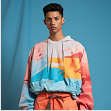
Stop using the same 3 "Persona" faces. Generate diverse, realistic (or stylized) user avatars that match your demographic.
Empty States
Need an illustration for "No Internet Connection"? Instead of a generic Wi-Fi symbol, generate a "Cute 3D robot tangled in wires, pastel colors, white background."
3D Icons
Flat icons are fine, but 3D icons add premium depth. You can generate a set of "Glossy 3D floating coins" for your fintech dashboard in seconds.
2. The Workflow: Prompting for UI Consistency
The biggest challenge with AI is consistency. If you generate 5 icons, they might look like they came from 5 different artists. Here is the pro workflow to fix that:
→ Take a screenshot of your existing UI or a mood board.
→ Feed it to the AI.
→ Now, every asset you generate will pull colors and lighting from that reference.
3. From Raster to Vector (The Crucial Step)
AI generates Raster images (pixels). UI designers usually need Vectors (SVG).
Plugin: Use "Image Tracer" or similar vectorizer plugins inside Figma.
Tip: Generate your AI icons in Black and White first. It makes the auto-tracing tool much more accurate. You can recolor them later.
4. Ethics & Copyright
A quick note for 2026: Always check the commercial license of the AI tool you are using.
Conclusion
AI doesn't replace the designer; it replaces the stock photo search bar. By creating your own assets, you ensure your design looks unique, intentional, and expensive.
You stop being a "template filler" and start being a "Creative Director."

Mockup Studio - Free Device Mockups Figma Plugin
Transform your Figma designs into beautiful, presentation-ready mockups with just one click.
FAQ: AI-Generated UI Assets
Popular options in 2026 include Recraft, Magician, and DALL-E integration plugins. Each has different strengths—try a few to see which fits your workflow best.
It depends on the plugin's license. Most AI plugins now grant commercial rights for generated assets, but always check the terms of service before using them in production.
Use the same style prompt for all icons, lock the seed number, and use reference images. Generate all icons in one session to maintain visual consistency.
Generate your icon in black and white first, then use an Image Tracer plugin in Figma. This gives you cleaner vector paths that you can easily recolor and scale.
Yes, transparency is best practice. Frame it positively: "I used AI to create custom assets that match your brand perfectly, saving time and budget on stock licensing."

Superfiles


Lemonade Wishes